
Audacity 4.0 rebuilds the free audio editor on Qt, with clip editing that finally feels modern. I checked the 4.0 release coverage and the 4.0.2 notes before writing this guide, and the upgrade rewards editors while asking patience from batch users.
Summary
- Audacity 4.0.2 arrived 2 November 2026, free and open-source under the GPL (Softfully, 2026).
- Qt rebuild brings clip editing, overlapping clips, workspaces, and a dark mode.
- Noise reduction, built-in effects, and VST3/LV2 plugins cover most cleanup jobs.
- Macro Manager and MIDI tracks did not make the 4.0 cut, so batch users should stay on 3.x (FossLinux, 2026).
- Export sends an edited song out as MP3, WAV, or FLAC for upload.
- What changed in Audacity 4.0
- Cut an AI song into shape
- Clean the recording
- Add effects and plugins
- Export an upload-ready MP3
- What 4.0 still lacks
- Before you start
- Conclusion
- Frequently asked questions
- Methodology
- References
What changed in Audacity 4.0
Version 4.0 arrived 3 September 2026, with 4.0.2 following on 2 November (Softfully, 2026). Muse Group rebuilt the interface on Qt, replacing the old wxWidgets shell.
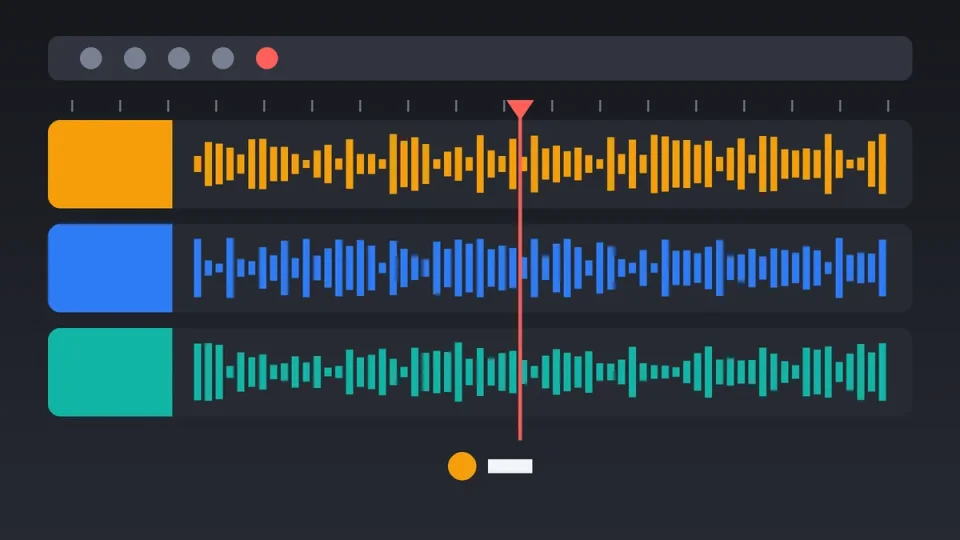
Clips now overlap instead of blocking each other, and trimming back reveals audio underneath. Multiple clips can move, trim, and group together in one gesture.
Three workspaces ship by default: Modern, Classic, and Music. A dedicated Split tool cuts at the playhead with one key press.
Cut an AI song into shape
Import the song by dragging it onto the timeline, then listen once before touching anything. Mark the dead air at the head and tail first, since those cuts cost nothing.
Split the track where verses change, and slide sections apart to hear each join. Overlapping clips let a chorus land over an intro without a gap.
Zoom to the sample level when a click or breath sits on a cut. Small moves at high zoom fix problems that broad cuts only hide.
Clean the recording
Noise Reduction takes a sample of room tone, then pulls that hum out of the whole track. Run it before compression, since loud processing after cleanup only raises what remains.
A compressor evens out loud and quiet passages, so a soft verse stops vanishing under a loud chorus. Watch the meters on each track while you adjust, since clipping shows there first.
Fades at the head and tail remove the hard edges that mark amateur edits. Two seconds of fade-out beats a sudden stop every time.
Add effects and plugins
Built-in effects cover EQ, reverb, echo, and pitch changes without extra downloads. VST3 and LV2 plugins extend the set, with Audio Units on macOS (PickMp3, 2026).
Apply effects to a copy when the change feels risky, and compare both versions before committing. Non-destructive clip envelopes adjust volume without rewriting audio.
Export an upload-ready MP3
File, then Export Audio, opens the new export dialog in 4.0. Choose Export to computer, not the audio.com share option, for files you distribute yourself (FossLinux, 2026).
MP3, WAV, and FLAC all sit in the format list, with channels and sample rate beside them. Export podcasts as MP3 at 192 kbps, the usual feed standard (FossLinux, 2026).
Listen to the exported file on the device your audience uses. Studio monitors flatter a mix that phone speakers expose.
Keynou still names Audacity the best free desktop pick when conversion needs editing alongside it (Keynou, 2026).
What 4.0 still lacks
Macro Manager, MIDI tracks, the Mixer, and Play-at-speed did not make the 4.0 cut. Developers promise their return, with no timeline attached (FossLinux, 2026).
Batch conversion belongs to 3.7.9 for now, which runs side by side with 4.0. Keep both installed until the features you rely on come back (FossLinux, 2026).
Get Audacity from audacityteam.org or your system package manager, nowhere else. Extra software bundled by download portals causes more trouble than Audacity itself (PickMp3, 2026).
Before you start
Stick to material you own or that carries a royalty-free licence; anything else needs permission first. Our free legal music guide lists seven sources with their licences spelled out.
Save the project before any destructive step, and keep the unedited master. Undo covers mistakes, but a saved master covers disasters.
Conclusion
The 4.0 release trades a few old tools for a faster way to edit. Clips overlap, splits take one key, and the interface stops fighting you.
Install 4.0 for editing, keep 3.7.9 for batch work, and export the result as MP3. Your next AI song reaches upload-ready shape without spending anything.
Frequently asked questions
Is Audacity 4.0 really free?
Yes. It stays free and open-source under the GPL, with no paid tier and no locked features (Softfully, 2026).
Does Audacity 4.0 run on Mac and Linux?
Yes. Windows, macOS, and Linux all run the same editor, so skills transfer between machines (Softfully, 2026).
Can Audacity 4.0 open my old projects?
Version 4.0 opens .aup3 projects and converts them to the new .aup4 format. Originals stay untouched, but converted projects cannot return to .aup3 (FossLinux, 2026).
What happened to Macros in Audacity 4.0?
Batch automation did not make the 4.0 cut, along with MIDI tracks and the Mixer. Stay on 3.7.9 for batch work until those features return (FossLinux, 2026).
Do I need plugins to clean up a voice recording?
No. Stock tools handle most voice cleanup: Noise Reduction plus the built-in compressor need no extra downloads.
Methodology
- The facts below come from Softfully’s listing and FossLinux’s hands-on guide, read on 27 November 2026.
- Feature claims follow those pages, not the vendor’s marketing copy.
- Nothing was installed or edited for this guide, so workflow claims trace to the sources.
- Re-check the official site before you install: 4.0.2 is the newest version the sources name.