
Main image: AI illustration.
A credit line is the price of a free track.
Skip it, and the license stops covering your use.
Creative Commons calls the pattern TASL.
Nearly every track’s attribution fits in one line with four parts.
This guide shows the pattern, then places it on every platform.
Video descriptions, show notes, game credits, and captions each get their own form.
Summary
- TASL means Title, Author, Source, and License, in that order.
- Link both the track page and the license deed from the credit.
- Credit is not permission: an NC track stays off monetized videos even with perfect credit.
- Background use counts as an adaptation, so ND tracks cannot score a video or podcast.
- CC0 tracks need no credit, and neither do Audio Library, Mixkit, or Pixabay tracks.
TASL: four parts, one line
Title names the work.
If the licensor gave no title, skip that part rather than inventing one.
Author names the licensor, usually the artist.
A pseudonym or a company name counts when the licensor asked for it.
Source points readers to the track.
Link the original page, not a shortened link or a re-upload.
License names the exact license and links its deed.
CC BY 4.0 is the common example, and the deed sits at creativecommons.org.
Title is required under license versions 3.0 and earlier.
Version 4.0 makes it optional, but including it never hurts.
| Part | What it is | Where it comes from |
|---|---|---|
| Title | The track’s name | The track page |
| Author | The licensor, usually the artist | The track page |
| Source | A link to the track | The original page |
| License | The license name and deed link | The license line |
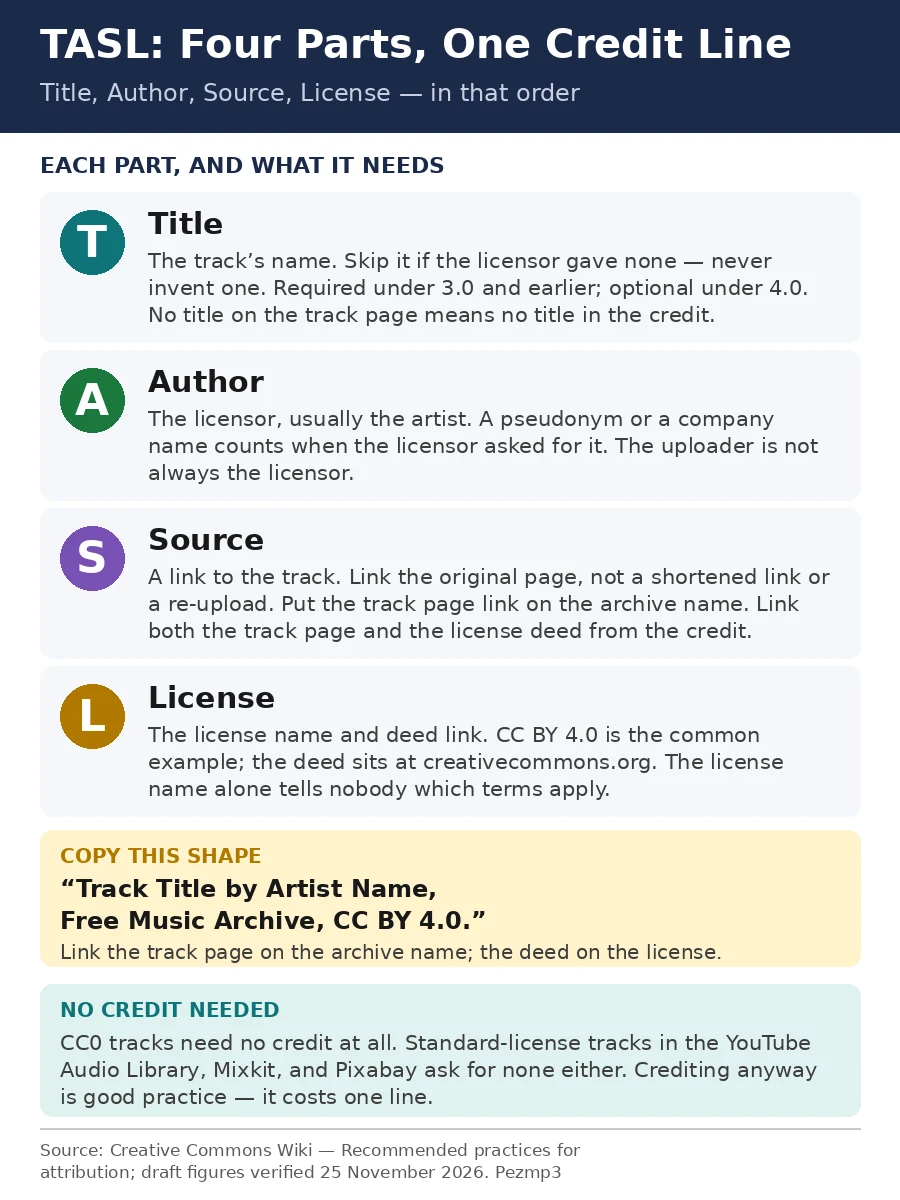
Each card names one TASL part, with the rule the draft states for it. Under 4.0 the title is optional; under 3.0 and earlier it is required.
A credit you can copy
Use this shape, with the real title and artist filled in: “Track Title by Artist Name, Free Music Archive, CC BY 4.0.”
Put the track page link on the archive name.
Put the license deed link on the license, so a viewer can check both.
No title on the track page means no title in the credit.
The other three parts still carry the attribution.
Adaptations belong in the credit too, when you changed the work.
Trimmed intros and looped sections both count as changes.
Where the credit goes, per platform
Placement follows the medium, not the habit.
The credit must sit where a viewer can find it without hunting.
| Platform | Where the credit sits | Also add |
|---|---|---|
| YouTube video | Video description, near the top | On-screen credit in the outro |
| Podcast | Show notes, plus a spoken credit | Credit in the episode audio |
| Video game | Credits screen or a credits file | License text in the game folder |
| Social clip | Caption, first lines | Credit in the video itself |
| Livestream | Panel below the stream | Chat command with the credit |
Video descriptions beat pinned comments.
Pinned comments can vanish, and a vanished credit is no credit at all.
Spoken credits in the audio reach every listener, including those who never open the show notes.
Game credits belong in the shipped build, not in a document on your desk.
Players and reviewers both read them there.
Audio format shapes the credits too.
MP3 vs FLAC vs WAV compares the options for creators shipping game audio.
Five mistakes that break a good credit
- Missing license link. The license name alone tells nobody which terms apply.
- Wrong name credited. The uploader is not always the licensor, and crediting the wrong person breaks the attribution.
- Credit hidden in a pinned comment. Comments can be deleted, and a deleted credit is no credit at all.
- NC track in a monetized video. Perfect credit does not turn a non-commercial track commercial.
- ND track used as background. Background use is an adaptation, and ND licenses forbid adaptations.
Every one of these mistakes is fixable before you publish.
None of them is fixable after a claim lands.
When no credit is needed
CC0 tracks need no credit at all.
Its artist dedicated the work to the public domain, so attribution is optional.
Standard-license tracks in the YouTube Audio Library need no credit line.
Mixkit and Pixabay tracks ask for none either.
Crediting anyway is good practice.
It costs one line, and it points viewers to music they may love.
What if the licensor gave no information
Use what the licensor supplied, and skip the rest.
Attribution must be reasonable for the medium, not complete at any cost.
Licensors may ask for a pseudonym, a company name, or no credit at all.
Follow the request as given.
Adaptations still need a note, even when the credit is thin.
Say what changed, in one short line.
Wider rules sit in Free Legal Music for Creators.
Its Creative Commons section explains every license letter in full.
Methodology
Attribution rules were checked against the Creative Commons attribution guide and the CC BY 4.0 deed, read in November 2026.
Track-level practice came from the Free Music Archive license guide.
This article used no downloaded track, and no artist was contacted.
Track pages can change their terms, so check again before you publish.
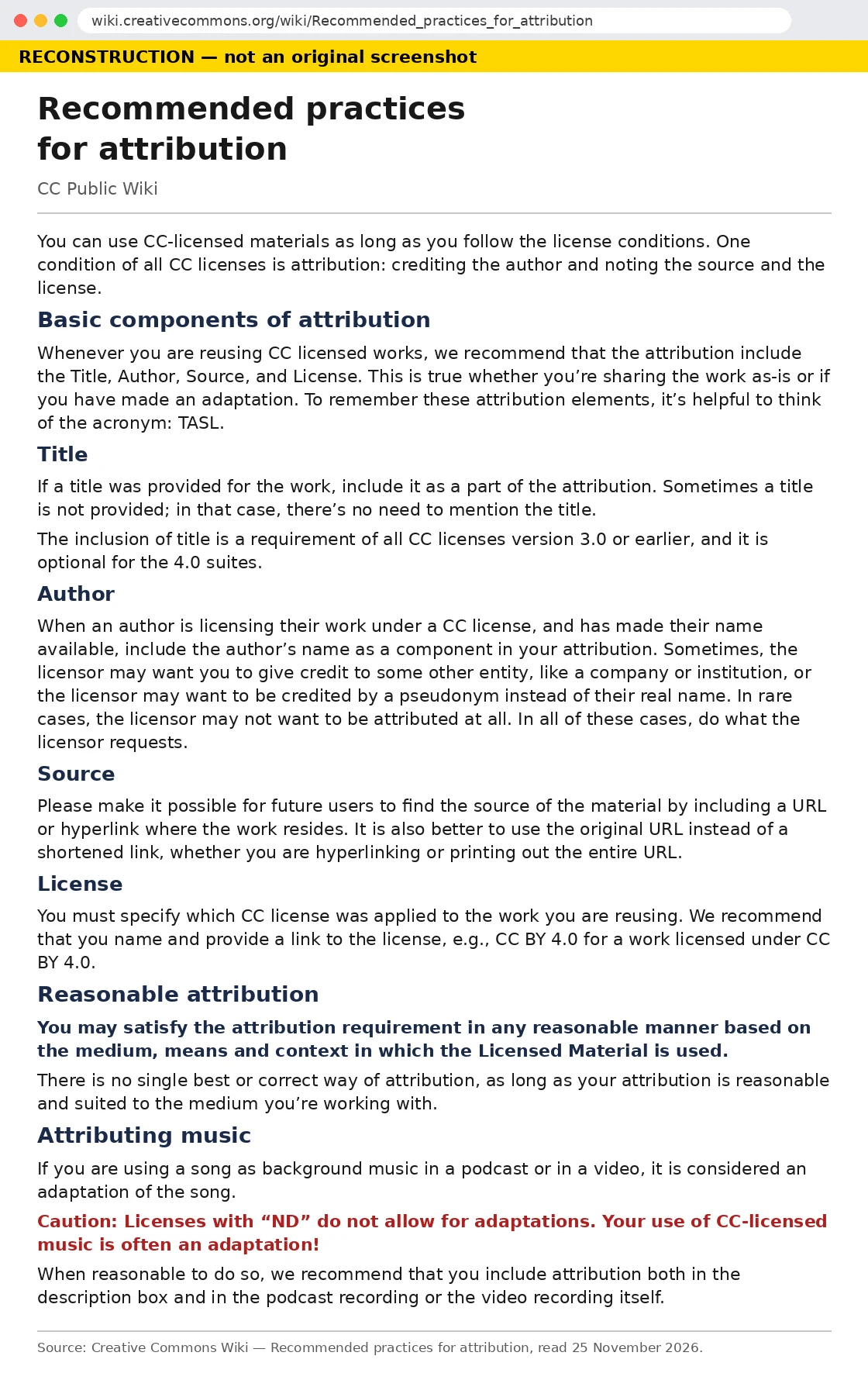
One Wiki page spells out TASL and the reasonable-medium rule. Background music counts as an adaptation, so ND tracks cannot score a video.
Frequently Asked Questions (FAQ)
Do I need to credit a CC0 track?
Nothing is required, though one line of credit is good practice.
Can the credit live only inside the video?
It can, but the description is safer.
On-screen credits flash past, while descriptions stay searchable.
What if the track page disappears?
Keep a screenshot of the license line from download time; it is your record.
Save it with the audio file, not in a separate folder.
Does credit stop Content ID claims?
Credit does not stop claims, because Content ID matches audio, not text.
Keep the license proof beside the credit.
Must I credit a track I only played once in a stream?
Yes, if the license asks for it.
One play is still a use, and the license does not count plays.
References
- Recommended practices for attribution — Creative Commons Wiki
- CC BY 4.0 — Attribution 4.0 International — Creative Commons
- CC0 1.0 Universal — Public Domain Dedication — Creative Commons
- Free Music Archive: How to Download CC0 and CC-BY Music the Right Way — Pezmp3
- Royalty-Free Music for YouTube: 7 Legal and Free Sources — Pezmp3
- MP3 vs FLAC vs WAV: Which Audio Format Is Right for Creators? — Pezmp3
- Free Legal Music for Creators: The Complete Guide 2026 — Pezmp3